> For the complete documentation index, see [llms.txt](https://wiki.nushackers.org/llms.txt). Markdown versions of documentation pages are available by appending `.md` to page URLs; this page is available as [Markdown](https://wiki.nushackers.org/orbital/readme-1/js-finally.md).
# Getting Started
## Input and Output
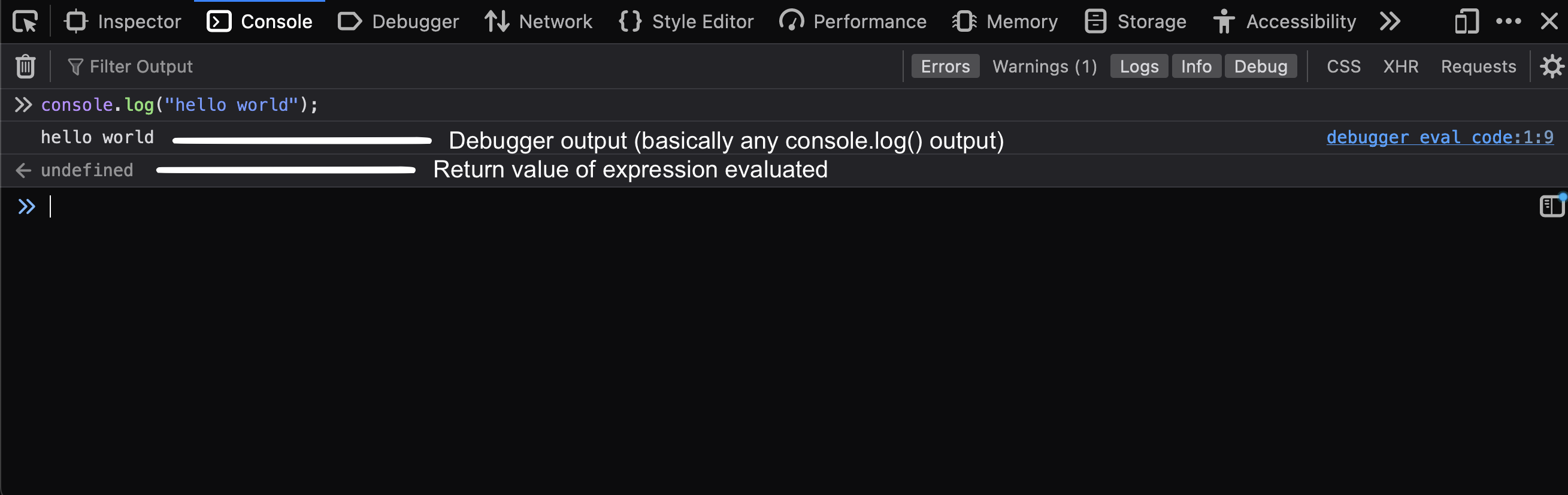
It's convention to write a program to print out "hello world" when first learning a language, so let's do exactly that. In the browser console that you opened up earlier, type in the following:
```js
console.log("hello world");
```
And hit enter. You should see "hello world" printed (without the quotation marks) in the line below, and `undefined` just below it (on Firefox). Here, `undefined` is the return value of the expression that you just evaluated. In general, assignment and output expressions return `undefined`, as do functions that have no return value.
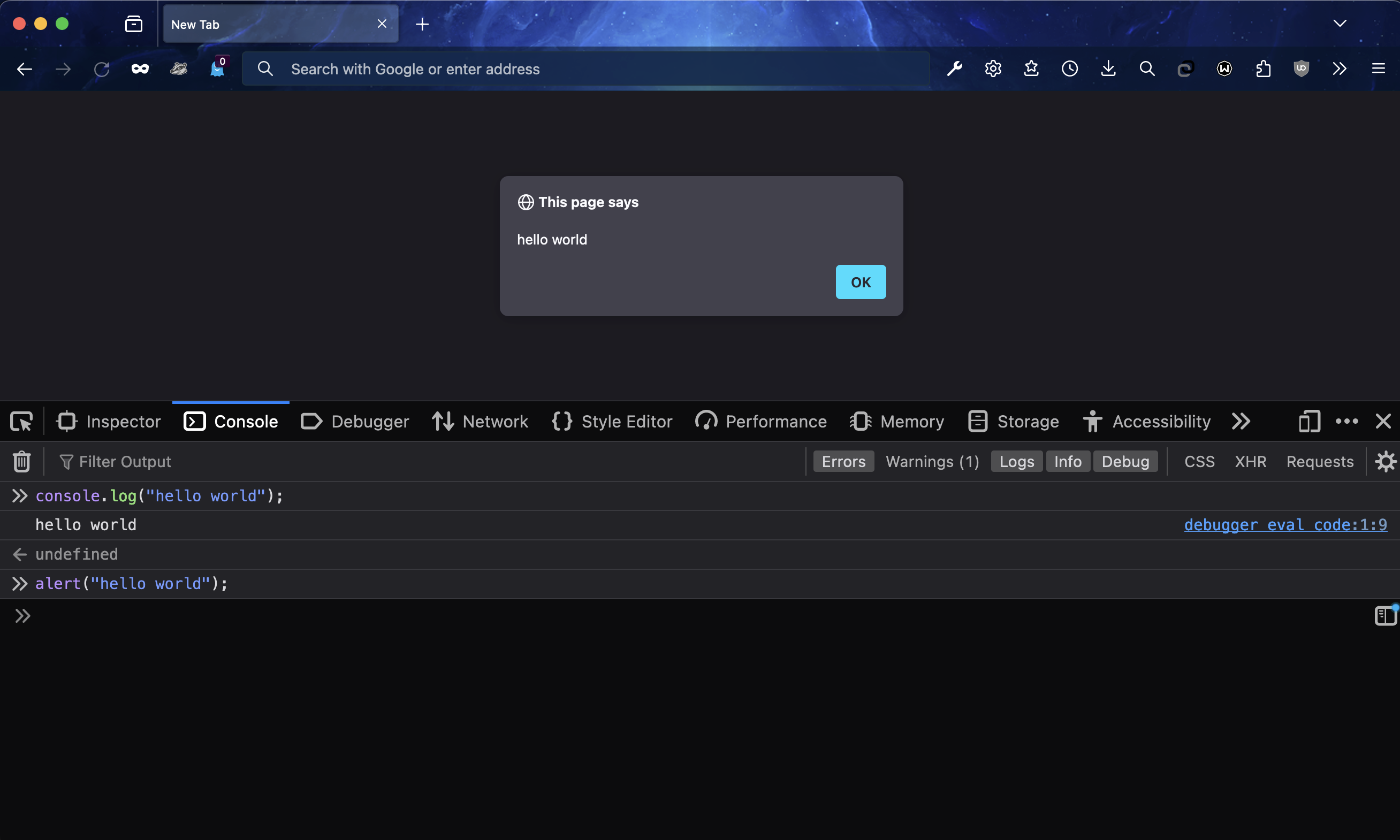
This is one way to give output. The second way is to use the `alert` function. Type in the following in the console:
```js
alert("hello world");
```
And hit enter again. Now instead of some output in the console, you should see a popup window with the message "hello world". Clicking "ok" will result in the function evaluation completing, which results in the function returning `undefined` as before.
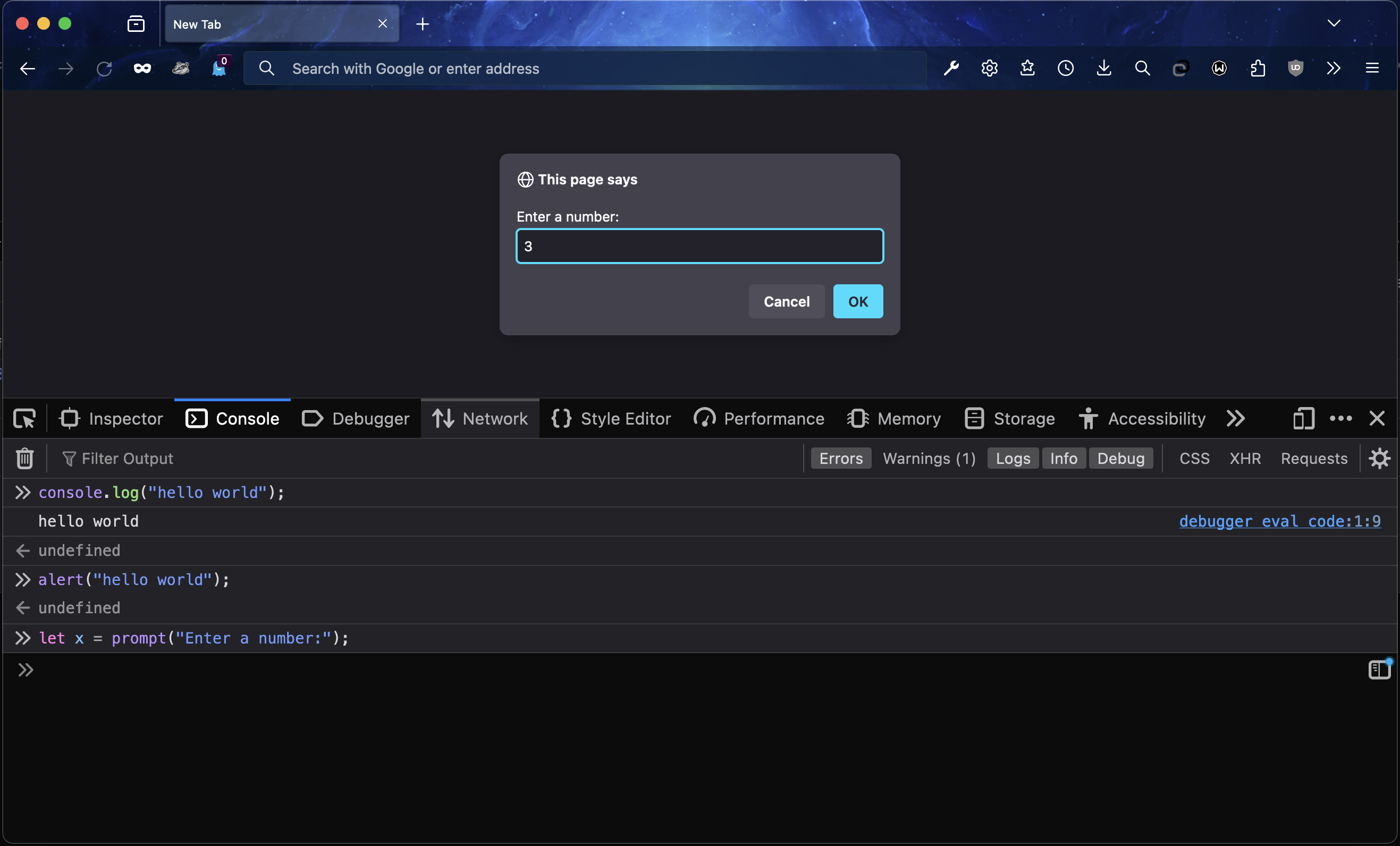
Now let's try to take some user input. JavaScript provides the `prompt` function, which takes in a string to prompt the user with, and returns the user's input. It works like `alert`: a pop-up appears on the page, except this time the user can also type in some text into an input field.
```js
let x = prompt("Enter a number:"); // 'let' declares a variable, see below
console.log(x); // prints out the number the user typed in
```
## Variable declaration
To declare a variable in JavaScript, you can either use the `let` keyword or the `var` keyword. The key difference between the two is that declaring a variable with the `let` keyword will only allow it to be used within the code block it was declared in, whereas a variable declared with the `var` keyword will allow it to be used within its parent function block and overrides any previous declaration. This is explained in detail [here](https://sentry.io/answers/difference-between-let-and-var-in-javascript/).
To get started, let's declare two variables, `x` and `y` and assign them values of `5` and `10`.
```js
let x = 5;
let y = 10;
```
Now we can check what their values are by printing them out as before, or by just entering the name of the variable:
```js
x; // will return 5
y; // will return 10
```
As you can guess, `//` is used to begin a comment. To write comments spanning multiple lines, start a comment with `/*` and end it with `*/`.
## Next steps
Next, we'll look at some data types and values in JavaScript.